
Enterprise IT + Partner Management
All of your IT partners. One ServiceNow instance.
Your IT partners are spread across many different platforms - ConnectWise, Autotask, HaloPSA, and more. Keeping track of their tickets means logging into portals, chasing status updates, or paying for external user licences you wouldn't need if the data just came to you.
See how it works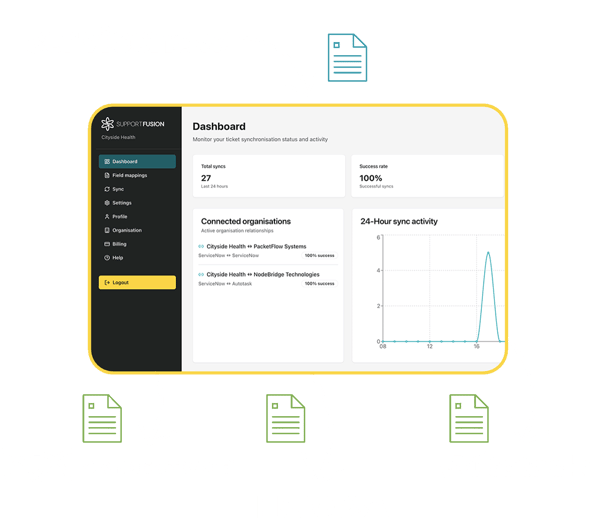
What does partner visibility actually mean?
You raise a P1 with your managed security partner. It lands in their Autotask queue. Your team has no sight of it inside ServiceNow - so someone picks up the phone, sends an email, or logs a duplicate ticket and hopes both sides stay in sync.
When the partner updates the priority from Critical to High, your ServiceNow record doesn't change. When they add a work note at 11pm, you don't see it until someone tells you. When they close it, you find out on the next check-in call.
Support Fusion connects your ServiceNow instance directly to each partner's PSA. Assign a ticket to a partner queue, and it appears in their system automatically. Every update they make, including status, priority, notes, and resolution, comes back to you in real time.
Check your platform compatibilityWhat managing partners without this looks like
These are the recurring costs of working across disconnected systems.
Tickets logged twice
Your team creates a ticket in ServiceNow. Someone recreates it in the partner's system. Two records, two sets of updates, and no reliable way to keep them aligned.
No visibility between check-ins
Partner activity only becomes visible when someone emails or calls. You have no way to know whether a ticket is progressing, stalled, or already closed until someone tells you.
Extra licences you shouldn't need
Some partners require a ServiceNow licence or a named account in their PSA just to hand off tickets. You end up paying for platform access that should have been unnecessary.
None of this is the partner's fault. It's just what happens when two organisations work from different systems without a shared connection.
See what's possibleBuilt for enterprise IT teams managing external delivery
If your IT function relies on a mix of MSPs, specialist providers, and co-managed partners, you're already dealing with the coordination overhead this creates. Support Fusion is built specifically for that operating model.
Multiple PSA platforms in your partner ecosystem
Support Fusion connects to ConnectWise, Autotask, HaloPSA, Syncro, and others - so the platform your partner uses doesn't restrict what you can see.
Independent connections per partner
Each partner integration runs in isolation. Credentials, sync rules, and ticket routing are configured separately, so adding or removing a partner doesn't affect the others.
No access to your partners' systems required
You don't need a login in their PSA. They don't need a login in your ServiceNow. The connection runs through the API, not shared user accounts.
Designed for IT Directors and Operations Leads
Setup is guided with no custom code required. Once a partner connection is live, your team manages everything from within ServiceNow - no new tool to learn.
How a partner connection works
Support Fusion sits between your ServiceNow instance and each partner's PSA, keeping tickets aligned without anyone having to manage the handoff manually.
- Connect your ServiceNow instance to Support Fusion using your existing API credentials. Setup is guided and typically takes a few hours per partner connection.
- Map fields between your systems. Priority, status, category, assignment group, and any custom fields you need to carry across - you define how they translate.
- Assign a ServiceNow ticket to a partner. It appears in their PSA automatically as a new ticket, with your context and priority already in place.
- From that point, updates flow both ways. If the partner changes the status to In Progress, your ServiceNow record updates. When they add a resolution note and close, you see it immediately.
No shared logins. No manual updates. No calls just to get status.
Book a 30-minute demo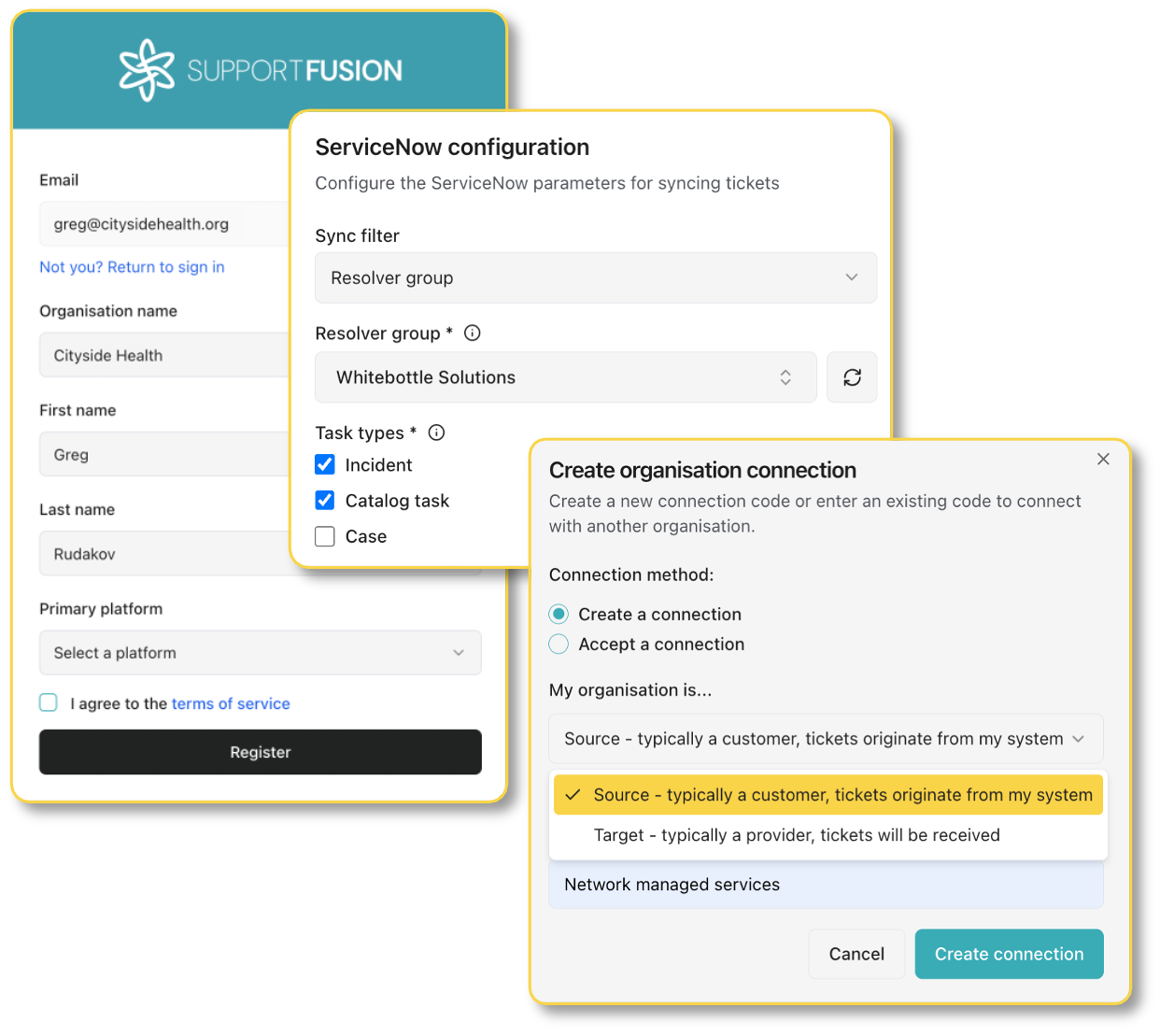
What your team gets
For enterprise IT teams managing external partners, these are the direct outcomes of having real-time ticket sync in place.
Complete visibility from ServiceNow
Every ticket your partners are working on is visible inside your own instance - with live status, priority, notes, and attachments. You don't need to chase for updates.
No more extra licenses for external users
Partner connections run through the API, not through named user accounts. You don't need to buy ServiceNow licences for partner staff, and partners don't need to buy seats in your ITSM.
Switch partners without disruption
Each integration is independent. You can turn a partner connection on when onboarding a new provider and off when a contract ends - without affecting any other integrations.
Ticket routing
Assign tickets directly to partner teams
There's no separate workflow for partner tickets. Your team assigns from ServiceNow the same way they would to an internal group. Support Fusion handles the rest - creating the corresponding ticket in the partner's PSA and keeping both sides updated.
- Ticket appears in the partner's queue automatically, with description, priority, and category already mapped
- Partner updates - status changes, work notes, priority adjustments - come back into ServiceNow without anyone chasing
- When the partner resolves and closes, your ServiceNow ticket reflects the resolution notes and closes in line with your configured rules
Assignment workflow screenshot
Multi-partner support
One integration layer, supports all platforms
Your managed security partner uses ConnectWise. Your infrastructure provider is on Autotask. Your cloud team runs HaloPSA. Support Fusion connects to each of them independently, with separate credentials, separate field mappings, and separate routing rules.
- Add new partner connections without touching existing ones
- Each connection has isolated API credentials - a change to one doesn't affect any other
- Routing rules control which tickets go to which partner, based on category, assignment group, or other field criteria
- Turn individual connections on or off without any change to your ServiceNow configuration
Multi-partner dashboard screenshot
Ready to experience complete service visibility?
Check your platforms are supported, or book a 30-minute walkthrough to see how a connection is set up and what it looks like once it's live.