
ServiceNow + ServiceNow · A Service Bridge Alternative
ServiceNow to ServiceNow integration.
How do you connect them?
The default answers are Service Bridge or via a custom build. Both mean consultants, project fees, and months of lead time. Support Fusion is the better option.
See how it works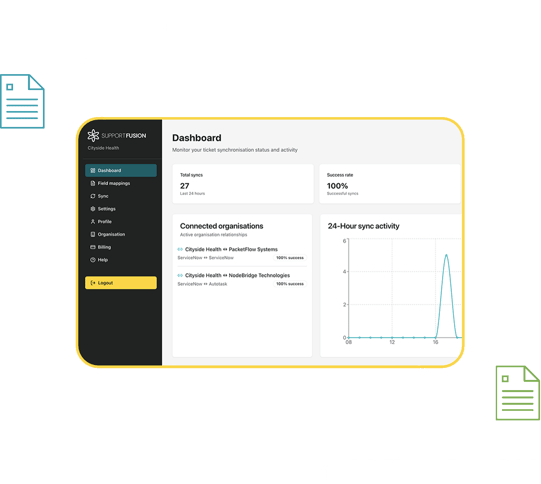
Enterprise clients expect deep integration
When you land a corporate client, especially if they run ServiceNow, the expectation is clear: incidents raised on their instance need to appear in yours, status updates need to travel both ways, and both sides need full visibility.
Without an integration, that's manual duplication, status calls, and a constant risk of one system being out of step. This is ebonding, and until now the only answers were Service Bridge or a custom build.
Support Fusion connects the two instances directly. Both sides work in their own system. The integration handles the rest.
See it in actionThe default options just don't fit
It's time for a dedicated IT services integration platform.
Service Bridge requires deep ServiceNow expertise
Built for organisations with ServiceNow consultants already in-house. For a service provider that just needs tickets to sync, it's far more than required.
Custom dev projects means someone is left to maintain
Project fees, long timelines, and a developer dependency that doesn't end. Every time ServiceNow updates its APIs, someone has to maintain that build.
Doing nothing means working across two systems manually
Tickets duplicated by hand. Status updates by phone or email. One system always slightly behind the other. The cost falls entirely on your team.
This is the reality that most service providers hit when they try to serve enterprise clients on ServiceNow.
There's a better wayUp and running in hours, not months
Four steps, fully-guided setup. Our team has worked with ServiceNow for over a decade, and we'll help if you get stuck.
- Each side sets up an API user with the required permissions - fully guided.
- Agree on what flows between the two instances: incidents, catalogue requests, problem records, or any combination.
- Validate the connection together. Confirm tickets and field updates are moving correctly before going live.
- Switch it on. From that point, assigning a ticket triggers the sync. Both sides always see the same picture.
No ServiceNow consultants, developers or project managers.
Book a 30-minute demo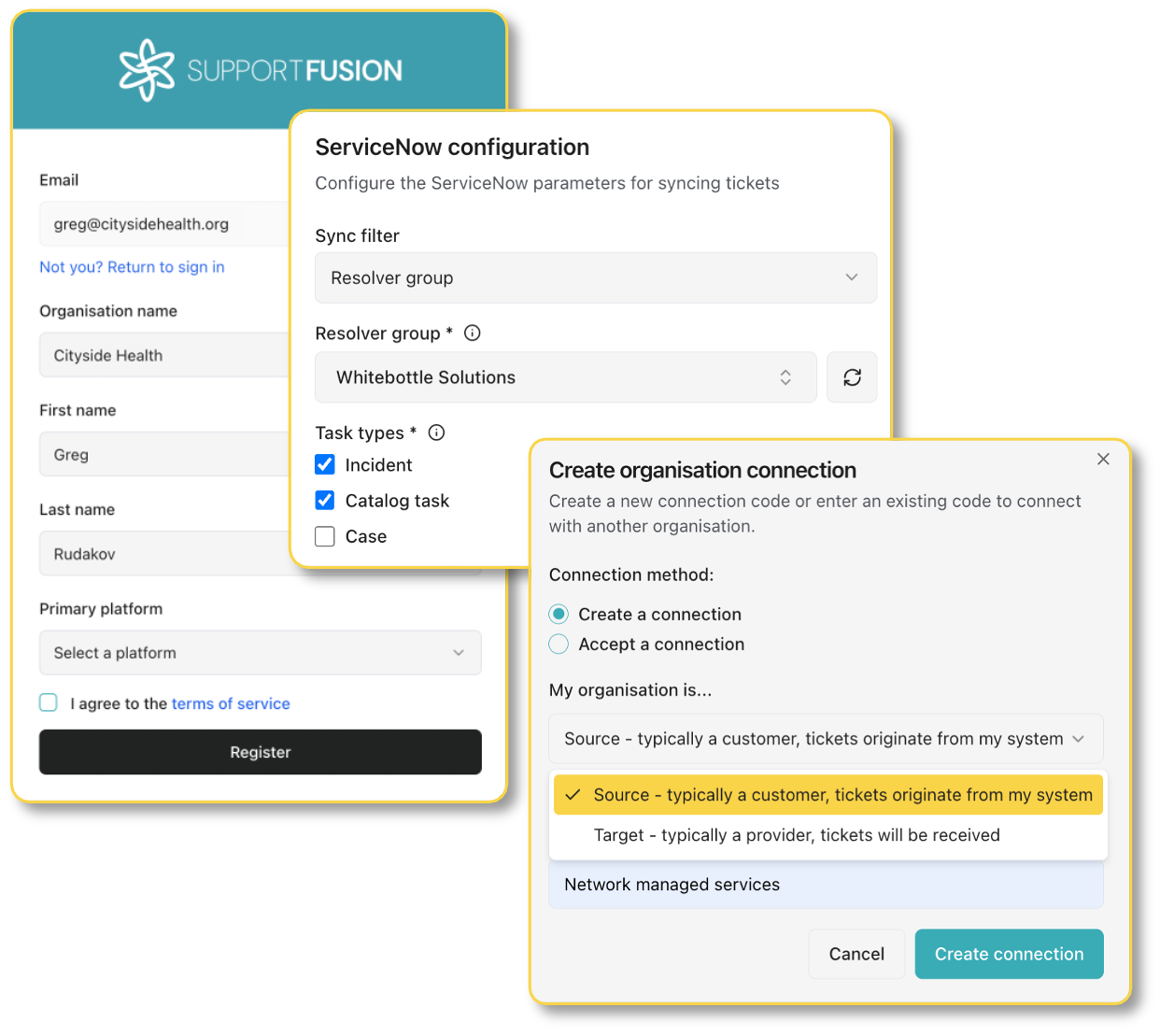
What you get out of it
The practical outcomes for system integrators and managed service providers running ServiceNow.
No specialist expertise required
A ServiceNow admin with API permissions is all you need. Support Fusion provides the setup guide and manages the integration layer.
Complete visibility of tickets
Incidents, catalogue requests, and problem records stay in sync. Status updates, notes, and closures travel automatically. No status calls.
Managed & monitored 24x7
Support Fusion monitors the integration and updated as APIs change. You're not responsible for maintaining a bespoke build.
Built with enterprise security in mind
Enterprise security teams ask hard questions before approving external integrations. We're used to it. Support Fusion has been reviewed and accepted by clients in banking, healthcare, and other regulated industries around the globe.
You remain in full control of your data, and who can access it. We only move ticket data between systems. We don't store it beyond what's needed to keep the integration running.
- In progress ISO 27001 certification (est. June 2026)
- Planned SOC 2 compliance, following ISO 27001
Microsoft Entra SSO supported
Access cane be managed through your existing identity provider.
Minimal data retention by design
We sync what's needed and don't hold ticket data beyond the integration's requirements. Data handling policies available on request.
Accepted by regulated industry clients
Reviewed and approved by clients in banking and healthcare. We can provide documentation to support your client's procurement process.
Happy to join your client's security review
We'll join the call and answer their team's questions directly.
Everything taken care of. One monthly fee
Service Bridge and custom builds both carry significant upfront cost: consulting fees, developer retainers, ongoing maintenance. Support Fusion works differently.
- From $500 USD per month, scaling with volume
- No setup project or capital commitments
- No developer on retainer
- API maintenance and 24x7 monitoring included
- Both sides of the integration covered
Full pricing on our Pricing page.
We'll show you two ServiceNow instances in sync, in 30 minutes
What we'll cover:
A live connection between two ServiceNow instances. A ticket raised on one side appears on the other. A status update travels back. A closure syncs through. No slides, no scripted pitch.
Bring questions about your setup, API permissions, or how your client's instance would need to be configured. By the end you'll know whether this fits, before anyone signs anything.