
ServiceNow and HaloPSA, synced without the manual handoff
Your enterprise client stays in ServiceNow. Your MSP team stays in HaloPSA. Tickets sync both ways - automatically, securely, and without anyone being the coordinator.
Trusted by IT teams and service providers

















 ServiceNow
  HaloPSA
 Where the gap between ServiceNow and HaloPSA creates problems
Without a sync, someone on your team becomes the integration. Here's what that looks like in practice.
Your client's incidents aren't reaching your HaloPSA queue
When your enterprise client raises an incident in ServiceNow, your HaloPSA team doesn't see it. Someone has to copy it across - and by the time they do, priority context and field data is already missing.
Your client's ServiceNow fields don't map to your HaloPSA automatically
ServiceNow uses categories, subcategories, and custom catalogue variables. Your HaloPSA uses its own ticket type and action fields. Without a mapping layer, tickets arrive in your queue with incorrect or missing data that breaks your workflows.
You have no control over which notes cross the boundary
ServiceNow has work notes (internal) and journal comments (customer-facing). HaloPSA has its own visibility model. Without controls, notes meant for your client's internal team can end up in HaloPSA - or missing entirely on your side.
Your team can't see your client's ServiceNow without adding to their licence count
Giving your HaloPSA technicians access to the client's ServiceNow instance means procuring extra licences on their behalf, adding admin overhead to their environment, and giving your team visibility into tickets that have nothing to do with you.
How you connect
Up and running in under a day. No coding, no project, no professional services.
Connect your platforms
Add credentials for ServiceNow and HaloPSA through the guided setup. No developer required - takes under 30 minutes from either side.
Configure your workflow
Set your field mappings, sync filters, and comment rules. Define which tickets cross the boundary, how fields translate, and what stays internal.
Go live
Run a dry sync to verify the result on both sides, then switch to automatic. You stay in HaloPSA. Your enterprise client stays in ServiceNow.
We'll look after everything and help you along the way.
See it in action
Walkthroughs from the Support Fusion team.
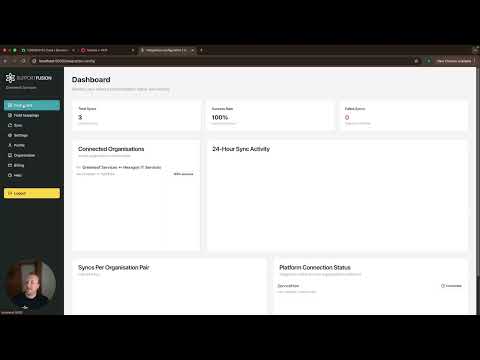
ServiceNow CSM to HaloPSA integration
ServiceNow CSM cases from a service provider syncing into HaloPSA as service tickets, with commentary and status staying aligned across both sides.

ServiceNow variable sync
Shows how ServiceNow variable data from request items and catalogue forms is extracted and mapped to fields in the connected PSA or ITSM.
What's included
- Sync
Bi-directional ticket sync
No one has to pull anything. It just syncs.
Every update, comment, and status change flows both ways. Assign a ticket in one platform and it stays bonded across both until it closes.
Watch demo - Configuration
Field mapping
When it's status A on their side, what needs to happen on yours?
You define the business-level rules once. Status, priority, category, board - everything translates automatically. No one has to do that work again.
Watch demo - Security
Secure organisation bonding
Connect to a partner in seconds. No shared credentials.
Generate a connection code, share it, and approve the relationship. Each organisation controls what data flows. Nothing leaks across the boundary.
Watch demo
Why not just build it yourself?
Most teams try manual coordination or a custom script first. Here's how those compare.
Manual coordination
Someone copies tickets between platforms by hand. Updates go missing. Resolution gets delayed. The process lives in one person's head and disappears when they do.
Custom integration
A developer builds an API connection. It works until something changes - a field update, a platform upgrade, an API version bump. Then it breaks, and only one person knows how to fix it.
Support Fusion
Both teams stay in their own platform. Tickets sync automatically. Field rules are configured once and run without maintenance. ISO 27001 certified, no credentials shared.
Frequently asked questions
Does setting up Support Fusion require a dedicated integration engineer?
Will our IT service providers need to change how they work?
Do I need to write any code to set up an integration?
Which platforms does Support Fusion support?
Can Support Fusion sync platforms within our own organisation?
Can I test the integration before going live?
Is ticket syncing bi-directional?
Can I control which fields are shared between platforms?
Ready to connect ServiceNow and HaloPSA?
Book a walkthrough and we'll map your specific setup - field mapping, security configuration, and go-live plan included.
Book a demo