
Syncro and HaloPSA, synced with asset context included
Your Syncro tickets arrive in HaloPSA with device information attached. Your technicians open a complete ticket - not a stub that sends them back to Syncro to find which asset it's about.
Trusted by IT teams and service providers

















 Syncro
  HaloPSA
 Where a basic Syncro to HaloPSA sync falls short
Getting tickets across is one thing. Getting them across with everything a technician needs is another.
Your HaloPSA tickets arrive without the linked device from Syncro
When a Syncro ticket syncs to your HaloPSA, the device linked to that ticket doesn't come with it. Your technicians open the ticket and have to switch back to Syncro - or call the client - to find out which asset they're dealing with.
Getting your Syncro API token configured correctly is non-obvious
Getting your Syncro API token set up with the right permissions and applied in the right place isn't well documented. A misconfigured token means your connection fails silently or your team starts syncing incomplete data.
Syncro and HaloPSA field values don't translate without a mapping layer
Syncro and HaloPSA use different structures for ticket categories, priorities, and statuses. Without a mapping layer, your synced tickets land in HaloPSA with incorrect defaults that break your workflows and SLA tracking.
Updates your team adds in HaloPSA don't reach Syncro automatically
When your team adds a note in HaloPSA, the Syncro ticket doesn't update. Updates get relayed by hand or missed entirely, creating gaps between what your technician knows and what your client sees.
How you connect
Up and running in under a day. No coding, no project, no professional services.
Connect your platforms
Add credentials for Syncro and HaloPSA through the guided setup. The Syncro API token configuration is covered step by step - no guesswork on permissions.
Configure your workflow
Set your field mappings and asset sync preferences. Configure which Syncro tickets sync to HaloPSA and how ticket data - including device context - maps across.
Go live
Run a dry sync to verify the result on both sides, then switch to automatic. Technicians open complete tickets in HaloPSA - device context included.
We'll look after everything and help you along the way.
See it in action
Walkthroughs from the Support Fusion team.
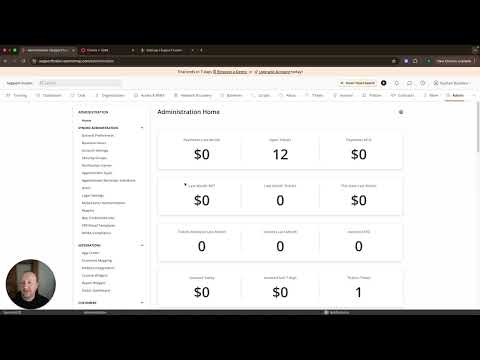
Setting up your Syncro API connection
Generating a Syncro API token, configuring the required permissions, connecting Syncro to Support Fusion, and syncing a first ticket through to HaloPSA.

Asset data sync
A walkthrough of asset context sync - how device information attached to a Syncro ticket arrives in HaloPSA alongside the ticket itself.
What's included
- Sync
Bi-directional ticket sync
No one has to pull anything. It just syncs.
Every update, comment, and status change flows both ways. Assign a ticket in one platform and it stays bonded across both until it closes.
Watch demo - Sync
Asset data sync
No switching tabs to find which device the ticket is about.
Asset names and records travel with the ticket. The technician has the full picture when they open it.
Watch demo - Configuration
Field mapping
When it's status A on their side, what needs to happen on yours?
You define the business-level rules once. Status, priority, category, board - everything translates automatically. No one has to do that work again.
Watch demo
Why not just build it yourself?
Most teams try manual coordination or a custom script first. Here's how those compare.
Manual coordination
Someone copies tickets between platforms by hand. Asset context never makes it across. The process lives in one person's head and disappears when they do.
Custom integration
A developer builds an API connection. Asset data is hard to include. It works until something changes - a field update, a platform upgrade, an API version bump. Then it breaks.
Support Fusion
Tickets sync with asset context included. Field rules are configured once. The Syncro API setup is guided from start to finish. No developer, no stub tickets.
Frequently asked questions
Do I need to write any code to set up an integration?
Which platforms does Support Fusion support?
Can Support Fusion sync platforms within our own organisation?
Can I test the integration before going live?
Is ticket syncing bi-directional?
Can I control which fields are shared between platforms?
Can we control which comments and notes are shared?
Do timestamps sync for SLA tracking?
Ready to connect Syncro and HaloPSA?
Book a walkthrough and we'll map your specific setup - asset sync, field mapping, and Syncro API configuration included.
Book a demo